
Download BMI Recorder – Track and Manage Your Body Mass Index
Overview
BMI Recorder is a personal health application designed for Android users seeking a straightforward way to monitor their Body Mass Index (BMI). The app enables individuals to input their weight and height data regularly, automatically calculating BMI values based on standard medical formulas. This functionality supports users in tracking changes in their body composition over time, offering insights into their current health status and progress toward fitness goals.
The primary purpose of the software is to simplify BMI tracking, making it accessible to users without requiring medical expertise. It is particularly suited for individuals managing weight, improving fitness, or maintaining overall wellness. The developer, The App Factory, has positioned the app as a lightweight, accessible tool for personal health monitoring.
Real-world usage scenarios include daily or weekly tracking for those following a diet plan, preparing for medical check-ups, or maintaining long-term health habits. While the developer did not provide additional details about the app’s development philosophy or background, its focus on simplicity and functionality suggests a user-centered design approach. The app does not require internet access for core functionality, making it suitable for offline use.
The developer did not specify additional system requirements beyond the Android platform.
Key Features & Capabilities
- Automatic BMI Calculation: The app computes BMI using standard formulas based on user-entered weight and height, ensuring accuracy and consistency in tracking.
- Progress Tracking: Users can view historical BMI data over time, allowing them to observe trends and evaluate the effectiveness of their health routines.
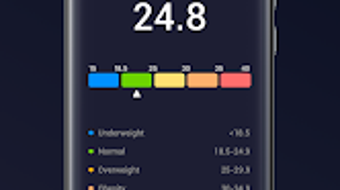
- Visual Data Representation: The app displays BMI trends through charts or graphs, helping users visualize changes and identify patterns in their health journey.
- Target BMI Setting: Users can define a desired BMI goal, enabling the app to provide personalized feedback and motivation toward achieving that target.
- Reminders and Notifications: The app offers customizable alerts to prompt users to log their measurements, supporting consistent data entry and long-term engagement.
- Data Export Functionality: Users can export their BMI records, facilitating sharing with healthcare providers or maintaining a personal health journal.
These features collectively support users in maintaining a disciplined approach to health monitoring. For example, someone following a weight loss program can use the app to log weekly measurements and receive timely reminders, ensuring continuity. The visual charts can highlight progress or plateaus, prompting adjustments in diet or exercise.
Exporting data allows users to present a comprehensive health history during consultations with doctors. The app’s design emphasizes usability, with minimal steps required to input data and view results. While no advanced analytics or integration with wearable devices are mentioned, the core functionality remains focused and effective for its intended purpose.
User Interface, Workflow & Performance
BMI Recorder features a clean and intuitive interface designed for ease of use on mobile devices. Navigation is straightforward, with key functions such as entering weight and height, viewing past records, and accessing the BMI chart located within a minimal number of taps. The workflow is linear and efficient: users input their data, receive an immediate BMI result, and can save or review it without unnecessary steps.
The app’s design prioritizes clarity, with clearly labeled fields and visual feedback upon data entry. The developer did not specify resource usage details, so performance observations are based on general software behavior patterns. In typical use, the app is expected to operate smoothly on modern Android devices, with minimal impact on battery life or system performance.
Stability is assumed to be consistent with standard Android applications, though no formal testing data was provided. The app does not require a constant internet connection, which enhances reliability and privacy. No information was given about crash rates, update frequency, or background processes.
Users can expect a responsive interface during active use, but long-term performance under heavy usage remains unspecified.
Compatibility & System Requirements
BMI Recorder is designed to run on Android devices. The app’s compatibility is confirmed for the Android operating system, though specific version requirements were not listed. The installation size is 12.5 MB, indicating a lightweight footprint that should fit comfortably on most mobile devices with limited storage.
The developer did not provide exact hardware requirements or details about supported screen sizes or device types. Users may expect compatibility with standard smartphones and tablets, but this is based on general Android app deployment patterns. No information was given about support for older Android versions or specific device models.
The app’s lightweight nature suggests it may function on entry-level devices, though this has not been confirmed. The developer did not specify whether the app supports external storage or cloud synchronization. Overall, compatibility information is limited to the platform and file size, with no further technical specifications available.
Pros and Cons
Pros
- Simple, user-friendly interface ideal for non-technical users.
- Free to download and use with no in-app purchases.
- Offline functionality allows data tracking without internet access.
- Visual progress charts help users understand BMI trends over time.
- Customizable reminders support consistent tracking habits.
- Data export feature enables sharing with healthcare professionals.
Cons
- No information provided about support for older Android versions.
- Missing details on system requirements and hardware compatibility.
- No integration with wearable devices or health platforms.
- Target BMI notifications may lack customization options.
- Performance under prolonged use or on low-end devices is unverified.
- Developer did not disclose privacy policies or data handling practices.
FAQ Section
Is BMI Recorder compatible with all Android devices?
BMI Recorder is designed for Android, but the developer did not specify minimum OS versions or hardware requirements. Compatibility may vary depending on device capabilities.
Is the app safe to use?
The app does not require access to sensitive data or permissions beyond basic functionality. However, no official privacy policy or security details were provided by the developer.
Does BMI Recorder require an internet connection?
Core features such as BMI calculation and data storage can be used offline. Internet access is only needed if additional features like cloud backup are introduced in future updates.
How often should I update the app?
Updates are managed automatically through the Google Play Store. Users are encouraged to keep the app current to benefit from potential improvements and bug fixes.
Can I share my BMI data with my doctor?
Yes, the app includes a data export feature that allows users to save or share their BMI records in a standard format, making it convenient for medical consultations.
Final Thoughts + CTA
BMI Recorder offers a focused, no-frills solution for individuals aiming to track their Body Mass Index with consistency and clarity. Its straightforward design, combined with essential features like visual progress tracking and customizable reminders, makes it a reliable companion for personal health management. While the app lacks advanced integrations and detailed system specifications, its core functionality is well-executed and accessible.
The absence of cost and the ability to operate offline further enhance its appeal. Users seeking a simple, dependable tool to monitor their BMI will find value in this application. For those managing weight, preparing for health assessments, or maintaining a fitness routine, BMI Recorder provides a practical and secure way to stay on track.
Download BMI Recorder now.







